
Matrix server for your team
Your private messenger on your own server
We deploy a secure communication server based on the open Matrix protocol, so team chats, access rules, and communication workflows stay under your control.
Users get a familiar messenger on phone, desktop, or browser, while the organization gets its own infrastructure: accounts, domain, access policies, backups, and clear administration.
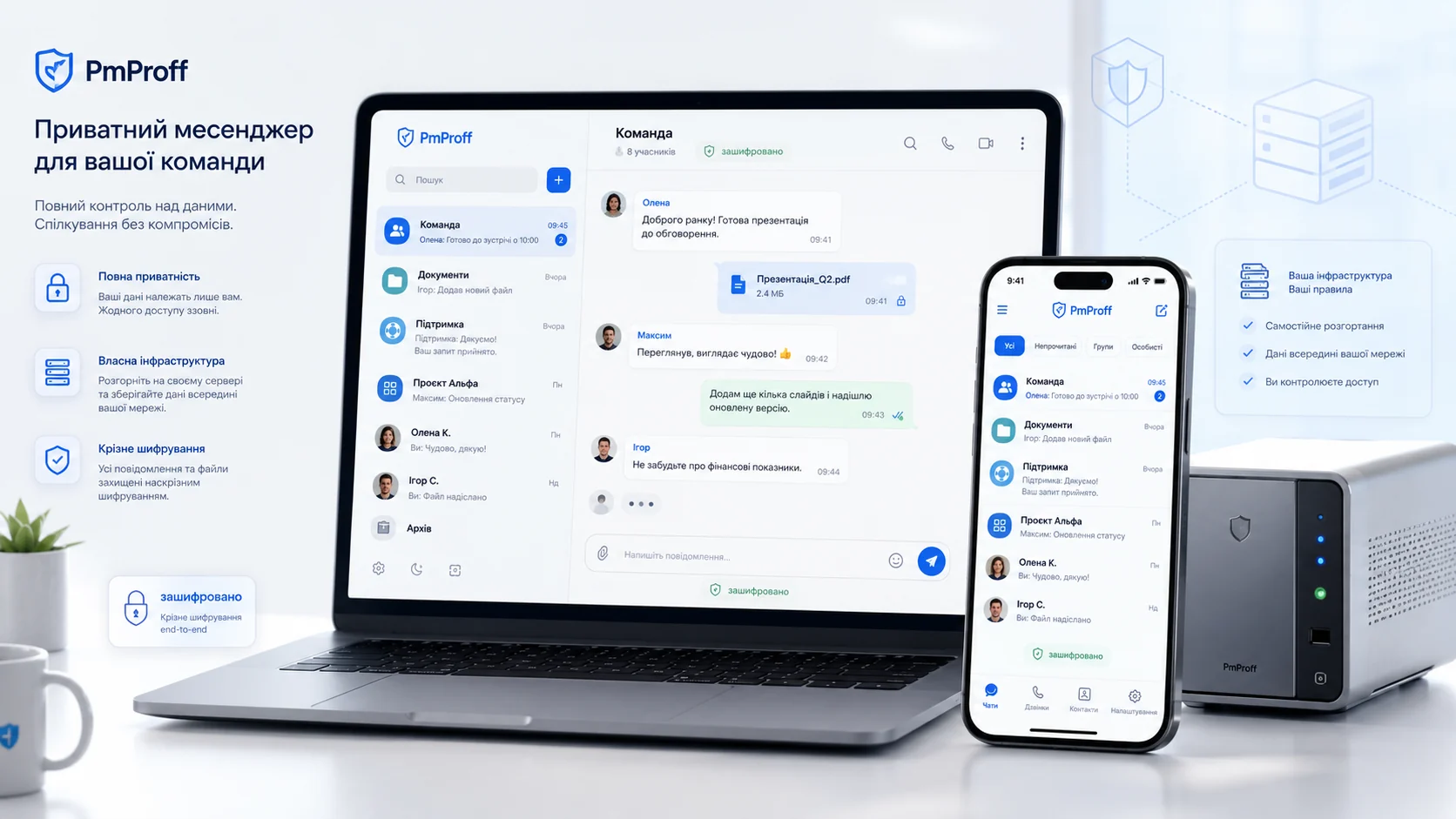
Why a regular messenger is not always enough
Public messengers are convenient for daily communication, but they have natural limits for work chats, client data, internal decisions, and long-term infrastructure.
- server, rules, and updates belong to an external platform
- there is no full control over employee account lifecycle
- work communication is hard to separate from personal chats
- blocks, policy changes, or platform limits can affect the team
- sensitive discussions often mix with public or personal channels
What your own Matrix server is
Matrix is an open protocol for decentralized communication. In practice, it means you can have your own server with your own domain, users, rooms, access rules, and room to evolve without being locked into one closed app.
The server can be fully internal, or it can allow limited federation with other Matrix servers. The format depends on the task: business, team, community, private environment, or separate infrastructure for sensitive communication.
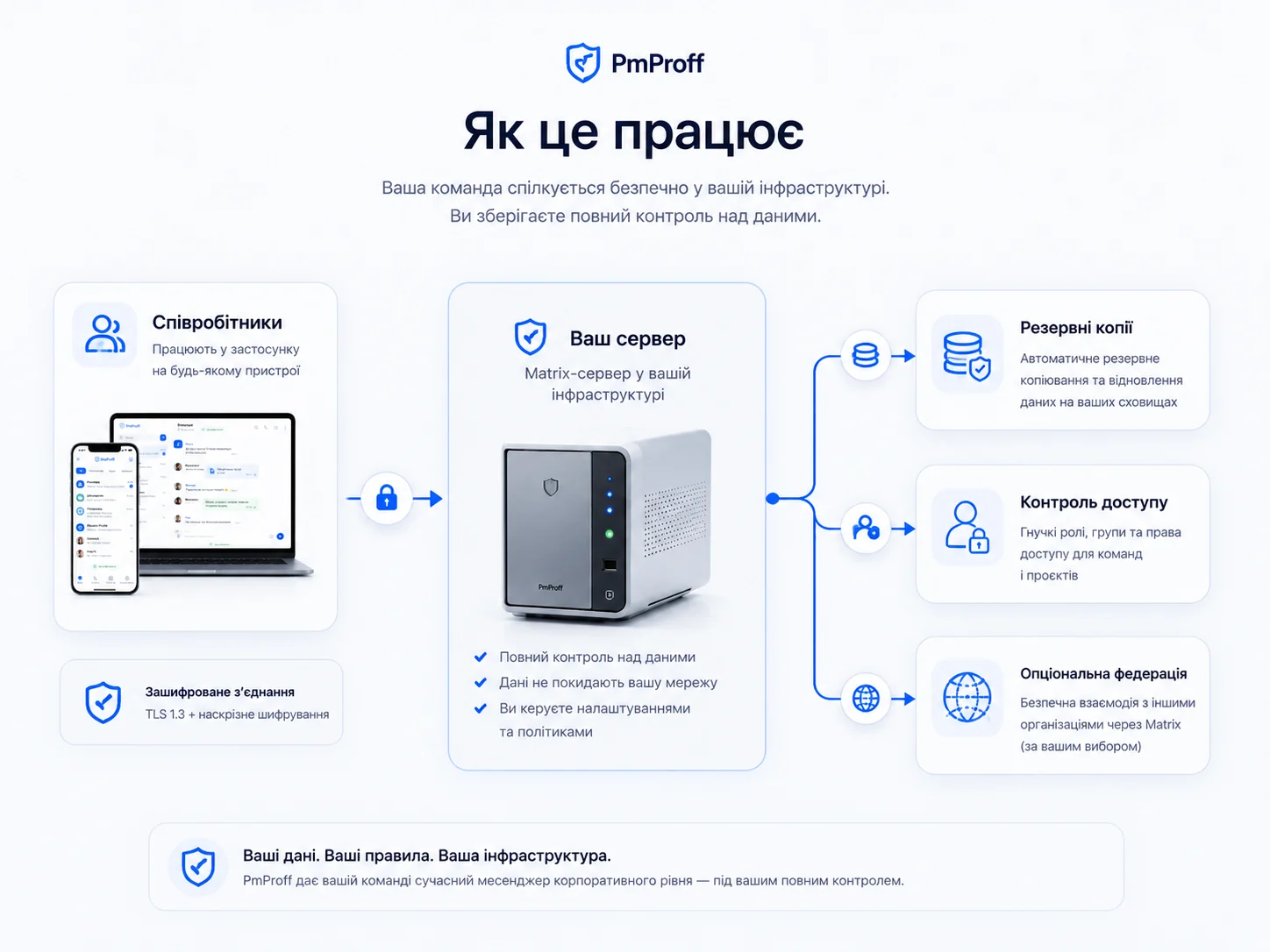
Benefits for owner and team
Your server, your rules
You decide who gets access, how accounts are created, which rooms are available, and whether federation with other Matrix servers is needed.
Familiar messenger format
The team uses chats, groups, files, reactions, calls, and notifications without feeling like they are inside a complex corporate system.
Less platform dependence
Matrix is an open protocol. The solution is not tied to one commercial app or closed ecosystem.
Access control
You can close registration, create users manually, disable accounts after offboarding, and separate teams by rooms.
Private rooms with encryption
Private rooms can use end-to-end encryption when it is enabled and configured correctly for your scenario.
Support after launch
We help with updates, backups, migration, access rules, and user onboarding.
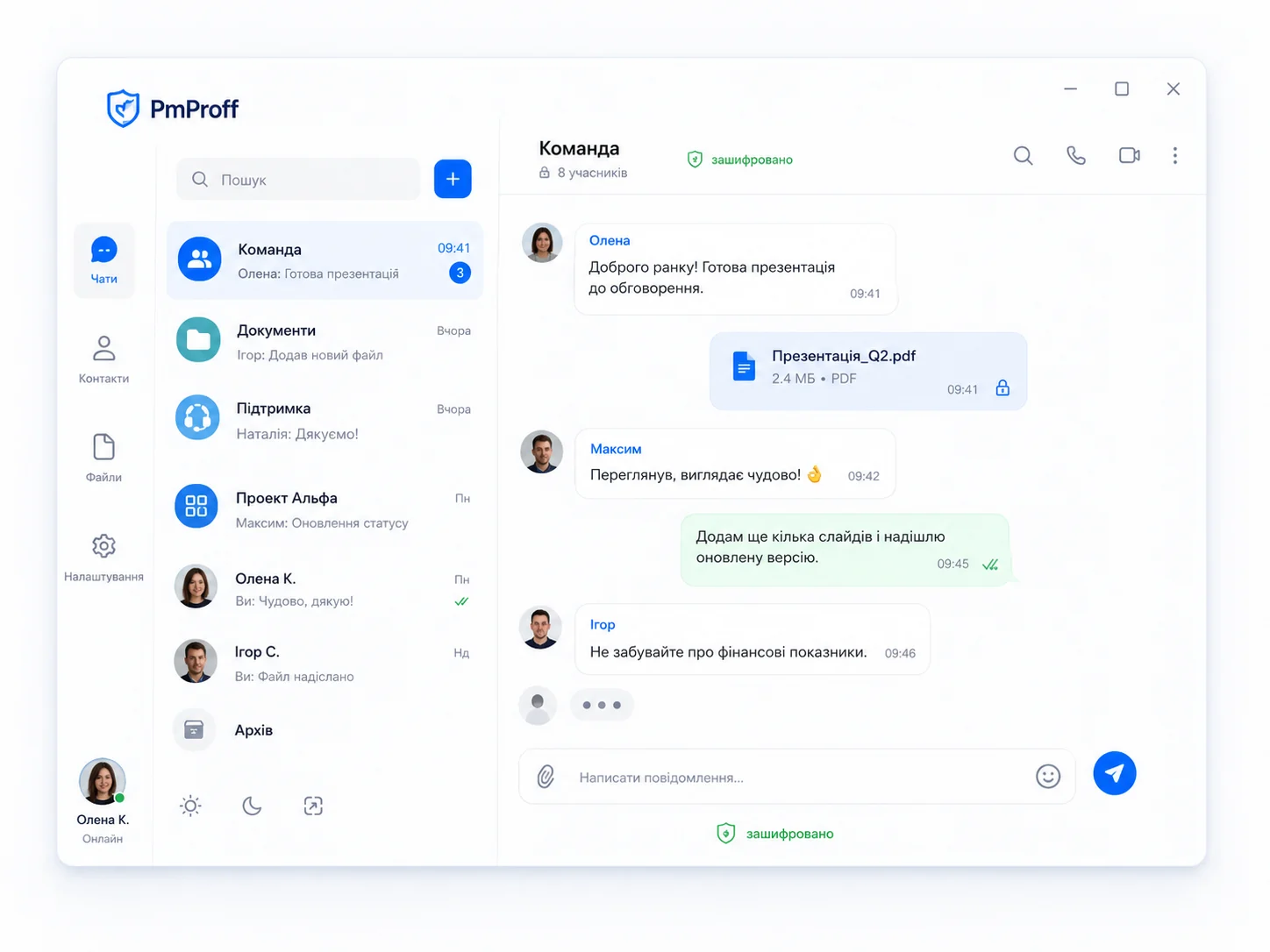
What users see
A person opens the app, signs in to an account on your domain, sees the required rooms, and communicates as naturally as in a regular messenger.
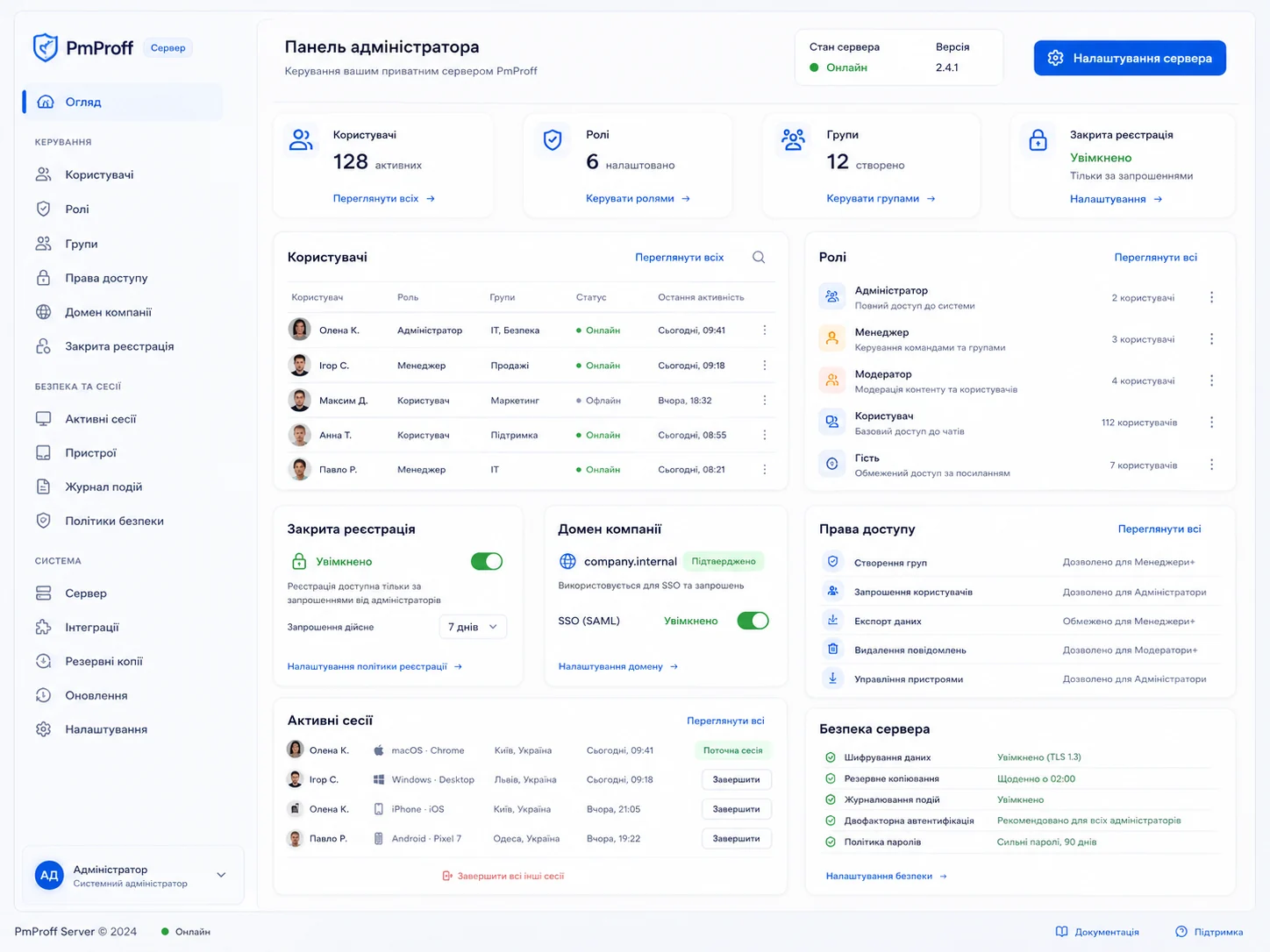
What the administrator controls
The administrator manages users, registration, room access, security rules, backups, and basic server settings. This matters especially when people join or leave the team.
Who it is for
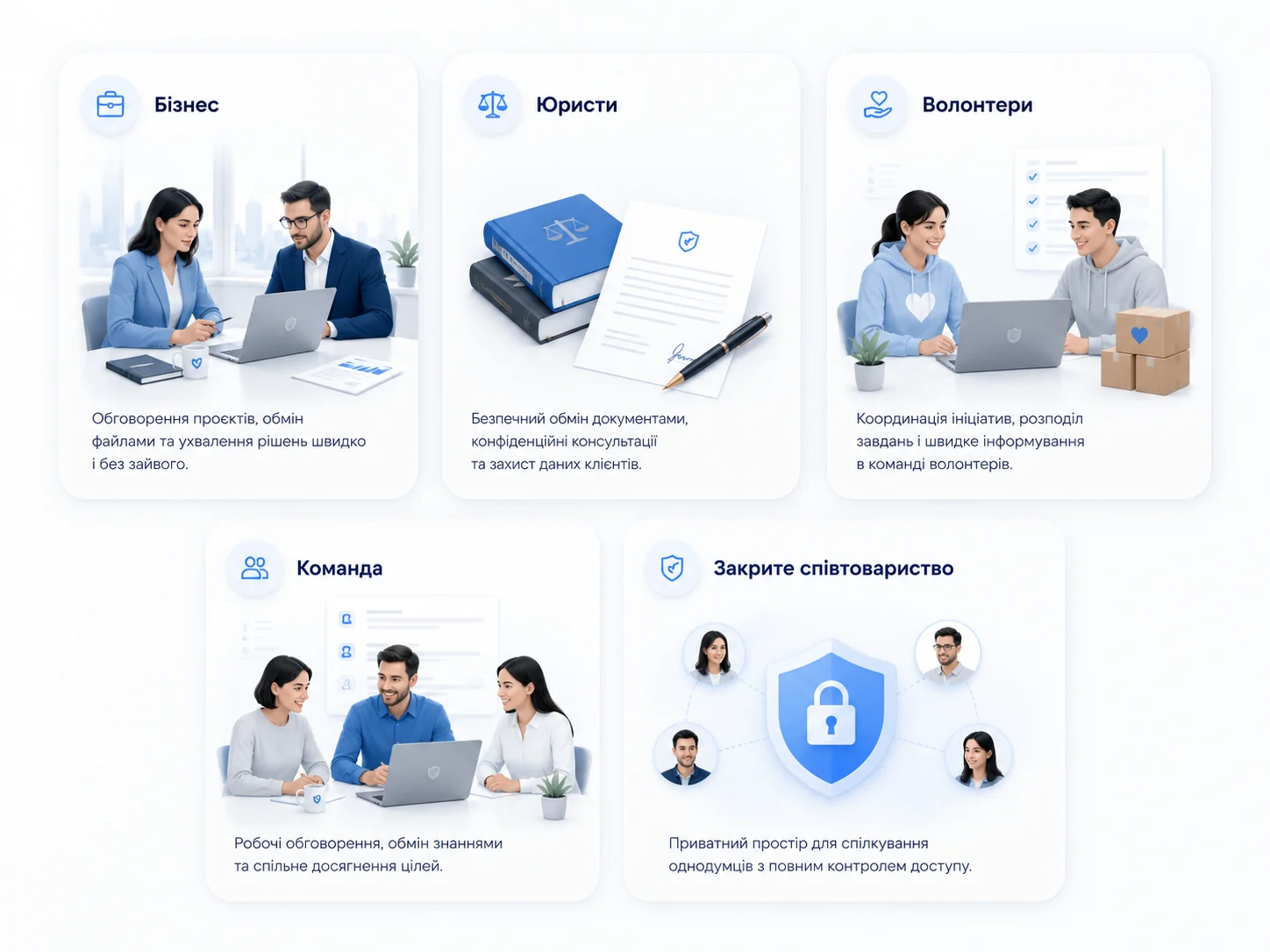
Team or office
Work chats, departments, private rooms, files, and calls in a separate environment that does not mix with personal accounts.
Legal and finance tasks
Communication around contracts, payments, client documents, and internal decisions with controlled access.
Volunteer teams
Separate rooms for areas of work, coordination, and access removal after a role or project ends.
Closed communities
Private space for a club, team, learning group, or professional community without open registration.
Technical teams
Channels for incidents, access, instructions, shifts, and fast coordination without dependence on one public messenger.
Private family space
A personal server for a family or small group where independence, clear access, and long-term control matter.
What setup includes
- analysis of the task, risks, and required privacy level
- server or VPS selection for the expected user count
- domain, DNS, HTTPS, and basic server security setup
- Matrix homeserver and required component installation
- closed registration, accounts, and basic roles setup
- client preparation for browser, phone, or desktop
- backups and a basic recovery plan
- short guide for administrator and users
Important, honestly
An own messenger is not magical anonymity and not a “set once and forget” system. The server needs updates, backups, proper configuration, and clear basic security rules for users.
That is why we sell not just Matrix installation, but implementation: from configuration and launch to clear handover and support.
Comparison with public messengers
| Area | Public messenger | Own Matrix server |
|---|---|---|
| Server | Owned by the platform | Runs in your infrastructure |
| Employee access | Depends on service rules | Managed by the organization admin |
| Domain | Addresses inside someone else’s platform | Accounts on your domain |
| Federation | Usually absent or closed ecosystem | Can be allowed or restricted |
| Migration | Depends on platform capabilities | More control over configuration and data |
How implementation works
Task discussion
We define who needs the messenger, how many users it will have, what data is discussed, and what level of closure is required.
Configuration design
We choose the server, domain, access format, client apps, backups, and administration rules.
Server launch
We install the Matrix homeserver, set up HTTPS, DNS, basic security, accounts, and initial rooms.
Team testing
We check login, messages, files, notifications, phone and desktop work, and typical access scenarios.
Handover and support
We explain usage, hand over admin instructions, and support the system after launch if needed.
You can start simple
The first launch does not have to be a complex corporate platform. Often, a server, closed registration, several rooms, a clear guide, and account lifecycle rules are enough.
After that, the system can grow: rooms, access policies, teams, stronger backups, or integrations with other services.
FAQ
How is it different from Telegram, WhatsApp, or Signal?
In a regular messenger, you use an external platform infrastructure. With your own Matrix server, the server, domain, access rules, and account lifecycle are controlled by you or your organization.
Will it be convenient for regular users?
Yes. Users can work through ready-made clients for iPhone, Android, Windows, macOS, Linux, or browser. For them it looks like a normal messenger with rooms, files, and notifications.
Can the server be fully closed?
Yes. Open registration can be disabled, accounts can be created manually, federation can be limited, and the server can be used only for your team or community.
Does it support end-to-end encryption?
Matrix supports end-to-end encryption for private rooms. We explain where it makes sense, what to know about backup keys, and what users need to understand.
Where will the data be stored?
It depends on the chosen configuration: your server, VPS, or another agreed infrastructure. During design, we discuss location, backups, and access rules separately.
Do I need my own domain?
It is recommended. A domain makes user addresses clear, for example @name:company.ua, and simplifies long-term infrastructure ownership. If there is no domain, we help choose an option.
Launch a private messenger for your task
Contact us and we will review your case: user count, required privacy level, server format, domain, clients, and support after launch.
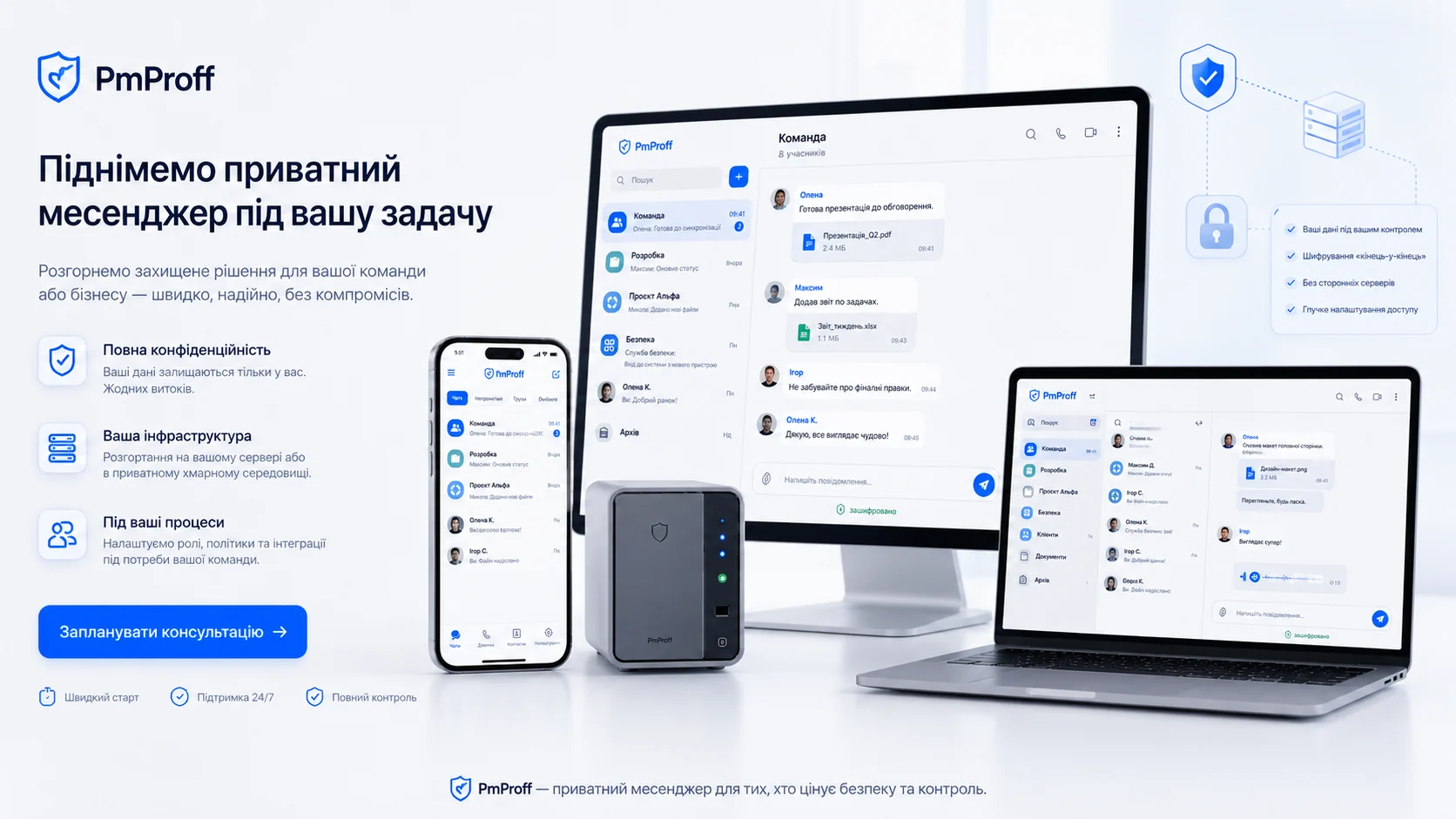
Private Matrix messenger for a business, team, or closed community
An own Matrix server fits organizations that want a modern messenger without full dependence on a third-party platform. It enables accounts on your own domain, rooms and access management, closed registration, clients for phone, desktop, and browser, and communication rules built around real team processes.
PMPROFF helps with the practical path: choosing configuration, deploying the server, preparing users, and explaining encryption, backups, and ongoing support.