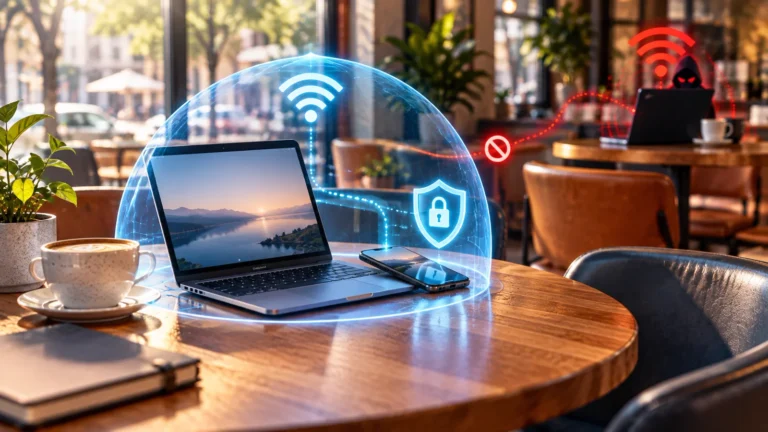
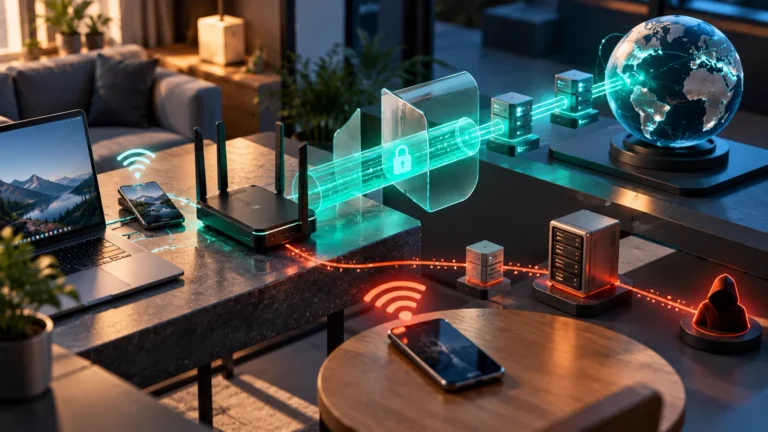
A VPN reduces what your internet service provider (ISP) can see, but it does not make you invisible or erase every trace of your activity. Your ISP can generally see that you connected to a VPN, the server address, the timing of the connection and the volume of data transferred. With a correctly configured VPN, it cannot directly see which sites you open inside the tunnel.
Why the question arises
Your ISP sits between your device and the rest of the internet. Your connections to websites, apps and other services pass through its infrastructure. What matters is which details your ISP can see under different conditions.
Without additional protection, your provider can see a good deal of technical information about your connections. A VPN puts some of that information inside an encrypted tunnel. The tunnel does not erase all metadata or change what websites, services and the accounts you use can learn about you independently of your ISP.
What a VPN hides from your ISP
Traffic contents
When a VPN works correctly, the ISP cannot read the data inside the VPN tunnel. It cannot see the pages you open, the text of your messages, the contents of your files or the specific actions you take within that protected connection.
HTTPS already encrypts traffic between your browser and most modern websites, even without a VPN. A VPN adds a different layer: it conceals the onward destination of traffic that enters the tunnel from your ISP.
The sites you look up, if DNS goes through the VPN
To open a website, your device looks up its IP address using DNS. If requests go to your ISP’s ordinary DNS resolver, the provider can see which domains your device requests. If the VPN routes DNS correctly through the tunnel, your ISP does not receive that list directly.
That is why it is worth checking where DNS requests go after connecting to a VPN. A “connected” indicator alone cannot tell you whether DNS is leaking outside the tunnel.
Activity inside the tunnel
The ISP sees an encrypted connection between you and the VPN server. It has much less visibility into what happens beyond that point. Instead of separate connections to many websites, it mainly sees a stream of data to one VPN endpoint.
What your ISP can still see
That you are using a VPN
A VPN generally does not conceal its own connection. Your ISP can usually infer that a device has connected to a VPN from the server address and the characteristics of the encrypted traffic.
The VPN server’s IP address
Your ISP need not know which sites you visit after connecting, but it can still see the public address you connect to. When using a VPN, that is the VPN server’s IP address.
Connection times and session duration
Your ISP can observe when you connect, how long a session lasts and when data transfer is more active. These details do not reveal the content of your actions. They are metadata, often stored separately from the traffic itself.
The volume of data transferred
Encryption does not conceal the amount of traffic. Your ISP can see how much data travels in each direction. The volume or timing may sometimes suggest a broad type of activity, such as streaming video or downloading a large file, without revealing the specific content.
DNS requests that bypass the tunnel
If the VPN client malfunctions, the system uses a different DNS resolver or an app connects outside the tunnel, some requests can remain visible to your ISP. Privacy depends on the actual device settings as well as the service you choose.
Can your ISP see the specific sites you visit?
Without a VPN
Your ISP can usually see DNS requests, destination IP addresses and technical connection data. With HTTPS it generally cannot read page contents, but it may have enough information to identify the service you contacted.
With a VPN
Your ISP sees the connection to the VPN server. It should not see the individual sites you visit inside the tunnel if the client, DNS and routing are configured correctly.
Details that can change the answer
Several details are easily missed:
- If DNS bypasses the VPN, the ISP may see domain names.
- If an app connects outside the tunnel, its traffic may be visible separately.
- Newer mechanisms such as Encrypted Client Hello reduce the visibility of some browser connection metadata. Support depends on the browser, site and network infrastructure.
- A VPN does not change the information that services obtain through your login, cookies or activity in an account.
VPN, HTTPS and private DNS
What HTTPS does
HTTPS encrypts the connection between your browser and a particular site. This protects page contents, form entries, passwords and other data in transit.
What a VPN does
A VPN creates an encrypted tunnel between your device and the VPN server. Your ISP sees fewer details about where the traffic goes after entering that tunnel.
What encrypted DNS does
Encrypted DNS, such as DNS over HTTPS, protects the requests themselves. This makes it harder for an observer to see which domains your device looks up when the requests travel outside a VPN or you are browsing without one.
How the layers fit together
These tools cover different parts of a connection:
- HTTPS protects the content.
- A VPN reduces the ISP’s view of the onward route.
- Encrypted DNS protects the separate exchange of domain lookups.
In practice, privacy depends on how these layers work together.
When a VPN alone is insufficient
When you are signed in
If you sign in to Google, Meta, your bank or another service, the service knows which account is active. The VPN can withhold information from your ISP, but the site still receives the login you provide.
When a site tracks your activity
Cookies, browser fingerprints, advertising identifiers and behavioural signals operate at the site or service level. A VPN does not address all these forms of tracking.
When a device or browser has excessive permissions
Broad app permissions, account synchronisation, browser extensions and cloud backups can pose greater privacy risks than browsing without a VPN.
When you want more control over a home network
Device segmentation, DNS filtering, control of connected devices and separate access profiles depend on the wider network design. Router-level controls and dedicated privacy devices may be appropriate for these tasks.
Practical checks for everyday use
Use HTTPS
HTTPS is standard on modern sites. Still check that the address starts with https://, especially before entering passwords, payment details or personal information.
Check that DNS really goes through the VPN
After connecting, check which DNS servers an external test reports. If it still shows your ISP’s resolver, investigate your settings.
Understand the limits of anonymity
A VPN improves privacy but does not remove your accounts, cookies, habits or digital footprint. Be cautious of services promising “complete anonymity in one click”.
Add other protections as needed
For some people, a reliable VPN and sensible browser settings are enough. Others need a separate router, DNS filtering, isolation for connected devices or separate profiles for work. Start with the way you actually use the network.
In brief
A VPN significantly reduces your ISP’s view of your activity. Instead of a list of individual sites and services, the provider mainly sees the VPN connection, session times and traffic volume. A VPN works best alongside other privacy habits and with an understanding of its limits.
If you also want more control over your home or work network, explore the privacy solutions and related guides in the PmProff knowledge base.
FAQ
Can my ISP see which sites I open while using a VPN?
Your provider usually sees the connection to the VPN server. It does not see the list of sites inside the tunnel if VPN routing and DNS are configured correctly.
Does a VPN hide my browsing history from the website itself?
A site can still see actions you take on that site, particularly if you sign in, accept cookies or use the same browser profile.
Do I need a VPN if the sites already use HTTPS?
HTTPS protects the contents of a connection to a particular site. A VPN also reduces the network information visible to your ISP. They protect different layers.
Can my provider tell that I am using a VPN?
Yes. The connection to a VPN server is usually visible even when the traffic inside the tunnel is encrypted.
Does a VPN make me anonymous online?
No. It improves privacy, but accounts, cookies, browser fingerprints and other identifiers can still identify you.