
Specifications and technology / Operating conditions
Operating temperature is the range in which equipment is designed to perform its functions. Storage, startup and battery charging can each have different limits.
For a wall-mounted outdoor camera, a switch in a cabinet or a battery in an unheated room, look beyond the lowest temperature in the data sheet. Check operating conditions, humidity and installation requirements together.
Operation, startup and storage
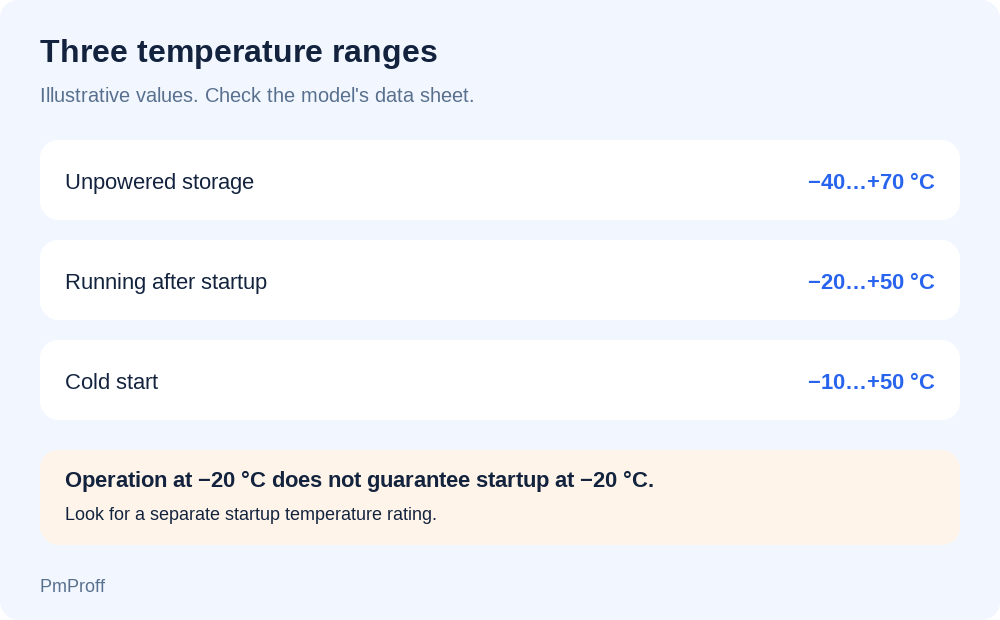
While powered, a device may stay warm through its own heat dissipation or a heater. After a long outage the enclosure cools down. Its minimum cold-start temperature may therefore be higher than its minimum operating temperature. Axis checks these conditions separately during environmental testing. How Axis tests its equipment.
| Parameter | What to check |
|---|---|
| Operating temperature | Operating range and manufacturer’s notes |
| Startup temperature | Ability to start after cooling down without power |
| Storage temperature | Storage conditions with power off |
| Charging temperature | Permitted temperature range for battery charging |
Why the temperature at the device matters
A switch sits in a closed cabinet beside a power supply. It is +30 °C outside, but that figure tells you little about the air inside the cabinet. Assess airflow, nearby heat sources and required clearances at the installation site.
Direct sun and shade also produce different operating conditions. Allow headroom above the expected maximum even if the regional average is lower. Consider realistic extremes: summer heat, winter downtime and restarting after a power cut.
For power supplies, also check derating: the permitted load may fall at high temperatures or in certain mounting positions. Full rated power may be available over only part of the temperature range. MEAN WELL on power supply operating conditions.
What non-condensing humidity means
RH stands for relative humidity. The condition non-condensing means that moisture must not condense on the equipment. A high permitted RH does not mean water droplets can enter the enclosure. For example, the AXIS P1367 specifies its temperature range separately from a non-condensing humidity range of 10–85% RH. These limits apply to that model. AXIS P1367 documentation.
RH range, IP rating and suitability for outdoor installation address different conditions. Check all three.
After moving cold equipment into a warm, humid room, follow the manufacturer’s instructions for acclimatisation. The required time depends on the design and conditions. If moisture is visible, leave the device disconnected from power.
Battery charging and discharging have different limits
A battery may supply power at a temperature where charging is prohibited. For example, Victron specifies separate charging and discharging temperature limits and additional current limits for its Lithium NG 25.6 V battery. Another battery can have different limits even with the same chemistry. Victron Lithium NG operating conditions.
When choosing backup power for a cold room, check whether the battery can power the load below freezing and safely resume charging when mains power returns. The presence of a BMS alone does not establish which temperature protection features it supports.
What to check before buying
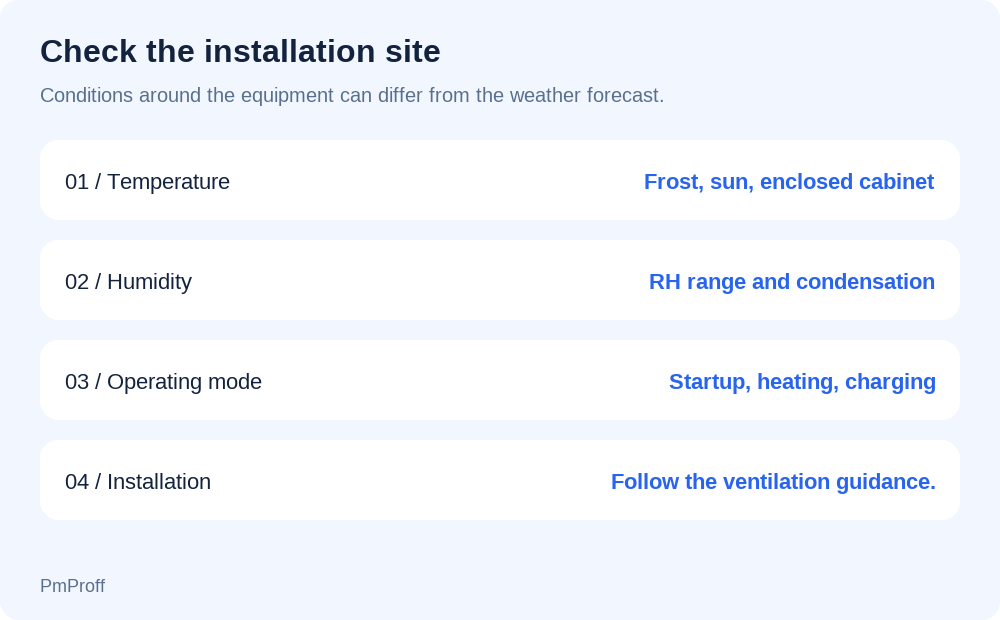
- Determine the minimum and maximum temperatures directly around the device.
- Look up separate operating, startup and storage limits.
- Check humidity and the condition on condensation.
- For a battery, verify charging and discharging conditions and current limits.
- Check that the power supply, cables and accessories suit the same location.
Frequently asked questions
Is IP67 enough for winter operation?
No. IP describes enclosure protection. Look up the operating and startup temperatures separately.
Can I put an indoor router outdoors in a sealed box?
The enclosure alone cannot establish suitability for the temperature and humidity. Check heat buildup, condensation and the requirements for every component.
Why did the device run in the cold but fail to restart after an outage?
Its cold-start limit may differ from its operating limit. Check the power supply and model data sheet as well as the air temperature.
Choose equipment for the actual site and operating mode. Temperature, humidity, startup and installation must all meet the documented conditions.