
Specifications and technology / Networking
Wi-Fi 6 does not imply 6 GHz, and AX3000 does not promise 3000 Mbps to one phone. Wi-Fi generation, frequency band and link speed describe different network properties.
Choose a router for your devices, room layout and internet connection. To benefit from a new feature, all the relevant parts of the connection must support it.
How Wi-Fi 5, 6, 6E and 7 differ
| Name | Standard | What to check |
|---|---|---|
| Wi-Fi 5 | 802.11ac | 802.11ac operates at 5 GHz. A dual-band model may use 802.11n at 2.4 GHz. |
| Wi-Fi 6 | 802.11ax | Supported 2.4 and 5 GHz modes and client capabilities |
| Wi-Fi 6E | 802.11ax with 6 GHz | 6 GHz support in the router, client and software |
| Wi-Fi 7 | 802.11be | The model’s actual bands and support for features such as MLO at both ends |
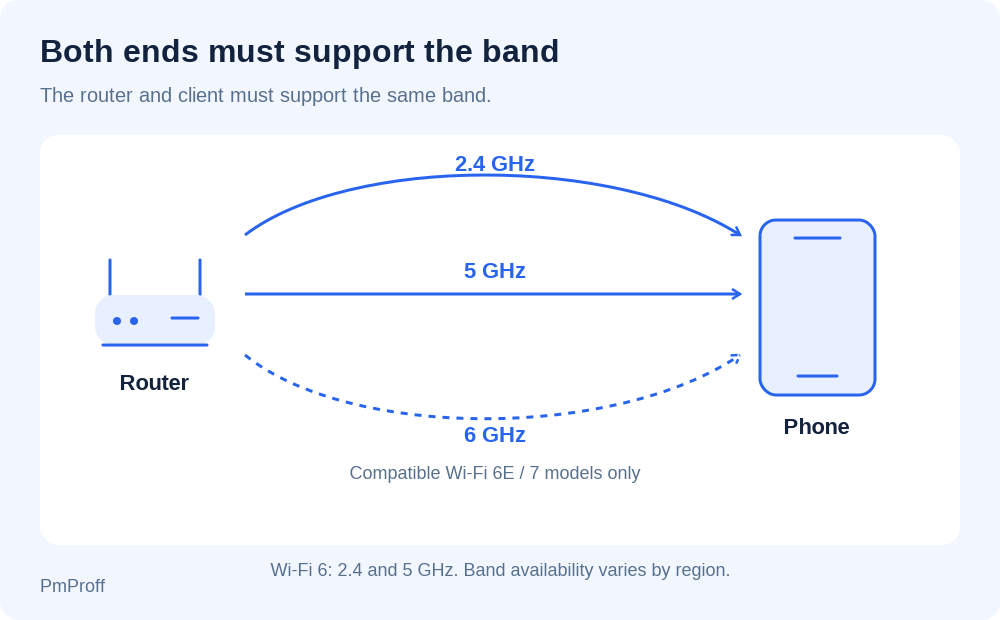
Devices can implement different features within the same generation. For example, a Wi-Fi 7 label alone does not establish that a 6 GHz radio is fitted. Band availability also depends on the region and equipment settings. Intel explains Wi-Fi 6 and 6 GHz support.
Choosing between 2.4 and 5 GHz
Older devices and smart sensors often need 2.4 GHz. In a typical home, this band tends to reach through obstacles more effectively, but neighbouring networks can congest it. Under suitable conditions, 5 GHz offers more scope for a fast link near the access point.
Compare speed and stability where you actually work. If a distant room has a weak signal, a newer generation alone may do little. Repositioning the access point or adding another one with a wired uplink may help.
Why the speed on the box exceeds your test result
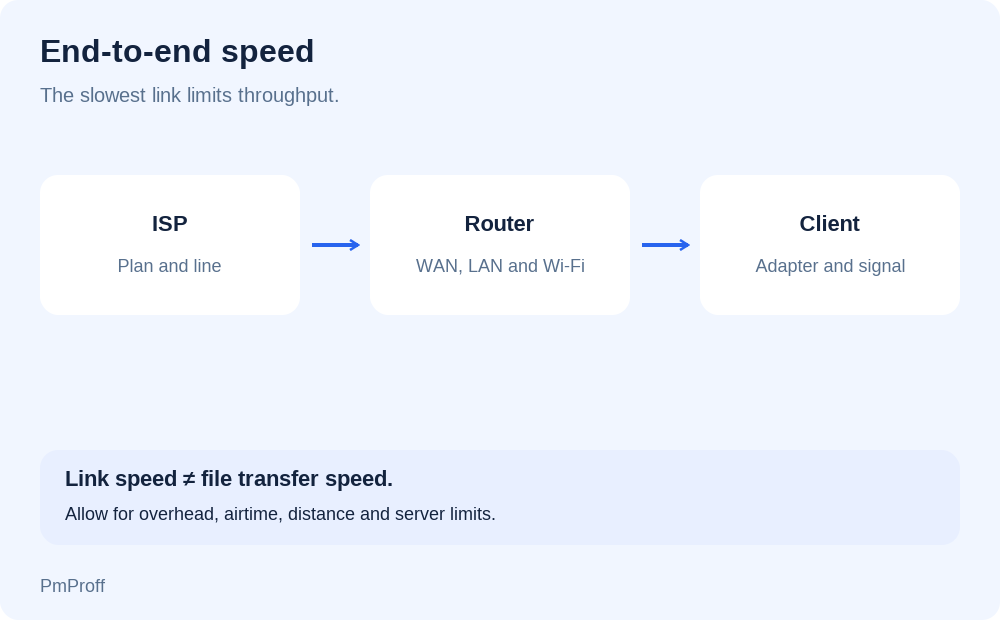
A class such as AX3000 usually combines the model’s theoretical speeds across frequency bands. A single download cannot count on that throughput. File transfers also use only part of the radio link rate because signalling, contention and retransmissions take airtime.
TP-Link distinguishes between internet line speed, wireless link rate and actual data throughput. The slowest part of the path limits the result, whether it is the ISP, WAN port, wireless link, client or remote server. TP-Link explanation with a network topology example.
Channel width and phone capabilities
Check 80 or 160 MHz support on both the router and client. The same applies to spatial streams. A high-end router cannot add a missing radio to a phone. A wider channel can also be less stable in a congested band.
Wi-Fi 7 Multi-Link Operation (MLO) can use multiple links. Its operation depends on the device pairing and implementation. Adding up all the advertised rates will not predict throughput in every application. Intel on Wi-Fi 7 features.
Testing your network before replacing the router
- Test the internet connection over Ethernet with a compatible computer.
- Repeat the test over Wi-Fi near the router and in the problem room.
- Check which band the device joined.
- Compare the WAN and LAN port rates, service plan and client adapter.
- Repeat at different times as traffic on neighbouring networks changes.
Mbps and MB/s differ by a factor of eight. In theory, 100 Mbps corresponds to 12.5 MB/s before overhead. A program displaying a different unit does not indicate a router problem.
Frequently asked questions
Will an old phone work with a new router?
Usually, provided they share a compatible band, standard and security mode. Speed depends on the capabilities they have in common.
Does Wi-Fi 6 always support 6 GHz?
No. Wi-Fi 6 and the 6 GHz band are different things. To use 6 GHz, choose equipment that specifically supports it, such as Wi-Fi 6E.
Do I need Wi-Fi 7 for a 100 Mbps plan?
The plan alone does not require it. Local transfers, client count or a future upgrade may justify Wi-Fi 7, but it cannot raise the ISP’s limit.
Check coverage, ports and clients first. Wi-Fi generation tells you about possible features, while the whole data path determines actual speed.