
Specifications and technology / Video surveillance
IP, AHD, TVI, CVI and CVBS describe different ways of transmitting video. A matching connector or megapixel count does not establish compatibility between a camera and a recorder.
A common job is to replace an old camera while retaining its cable and recorder. Identify the exact models and supported modes. A photograph of the plug gives you only part of the information.
Two main video paths
| Signal | Typical path | What to check |
|---|---|---|
| IP | Camera over the network to an NVR | Protocol, codec and network settings |
| AHD / TVI / CVI | Video output to a compatible DVR/XVR input | Standard, resolution and frame rate |
| CVBS | Composite video signal | Input compatibility and television standard |
A multiformat XVR may support several systems. For example, the Dahua XVR5108HS-I3/T data sheet lists BNC input formats and IP capabilities separately. These specifications apply to this device. Other recorders labelled DVR may differ.
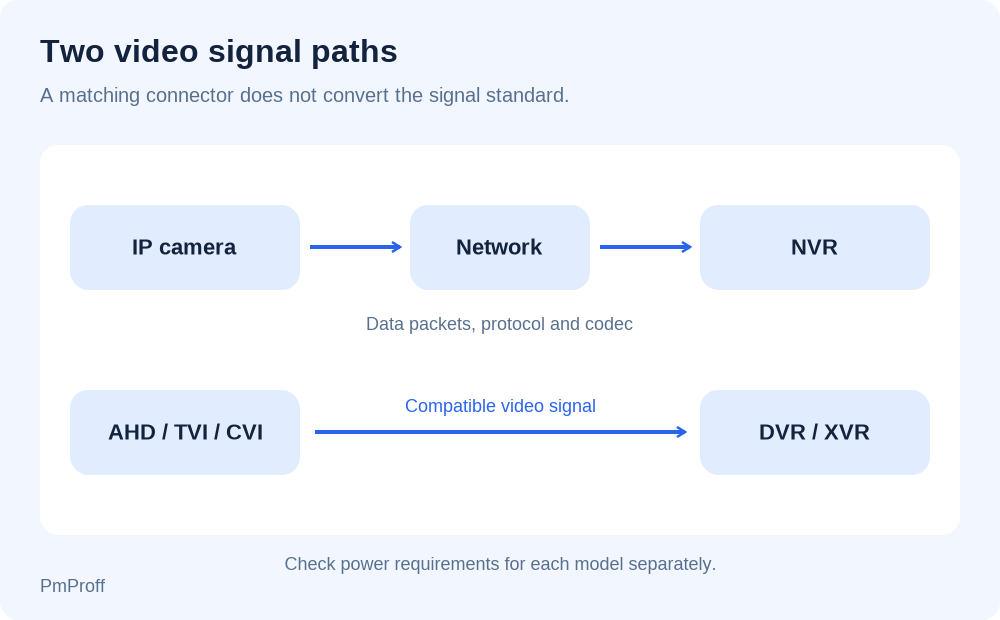
Why a BNC connection may produce no picture
The connector provides a physical connection but cannot convert the signal. If the camera outputs a mode the input cannot accept, moving the cable will not solve the problem. Check the camera’s output setting and the recorder’s supported modes.
Some cameras can switch between CVI, TVI, AHD and CVBS. For example, see the HAC-B3A51-Z documentation. It also specifies a firmware requirement for one of the modes. Use the switching procedure for the exact model.
When the standard matches but the mode does not
Check the combination of standard, resolution and frame rate. “Supports 5 MP” is insufficient without the rest of the table: limits may vary by input, format or recording mode. A live image does not establish that the system records at the required settings.
For an IP system, also check authentication, codec and integration. ONVIF Profile T describes network video functions. It does not turn an analogue input into a network input. For a detailed check, see the IP camera compatibility guide (in Ukrainian).
Can you keep the existing cable run?
Start with the condition of the cable, connectors and power supply. Check the rated distance for the required format and cable type. For general information about video over coax, see the HDCVI overview. Do not assume the advertised maximum range applies to an unidentified or damaged cable.
A passive connector adapter cannot convert between video standards. Active conversion, transmission over twisted pair and power over coax all require compatible equipment. Never apply power to a signal input unless the documentation explicitly permits it.
What to record before replacing a camera
- Recorder model and firmware version.
- New camera’s output format and how to change it.
- Supported resolution and frame rate for that specific format.
- Cable type, length and condition, plus power requirements.
- Test results for live video, recording and clip export.
Frequently asked questions
Can an IP camera connect to a BNC input?
Not directly. Use a supported network channel or dedicated conversion equipment if the system supports that arrangement.
Do all 4-in-1 cameras switch modes the same way?
No. Check the procedure and available modes in the manual for the specific model.
Is choosing the same brand enough?
No. Even within one brand, compare generations, formats, operating modes and firmware.
In brief
Check the full signal path: camera output, cable run, recorder input and recording settings. Connector fit alone cannot establish compatibility.