
Specifications and technology / Video surveillance
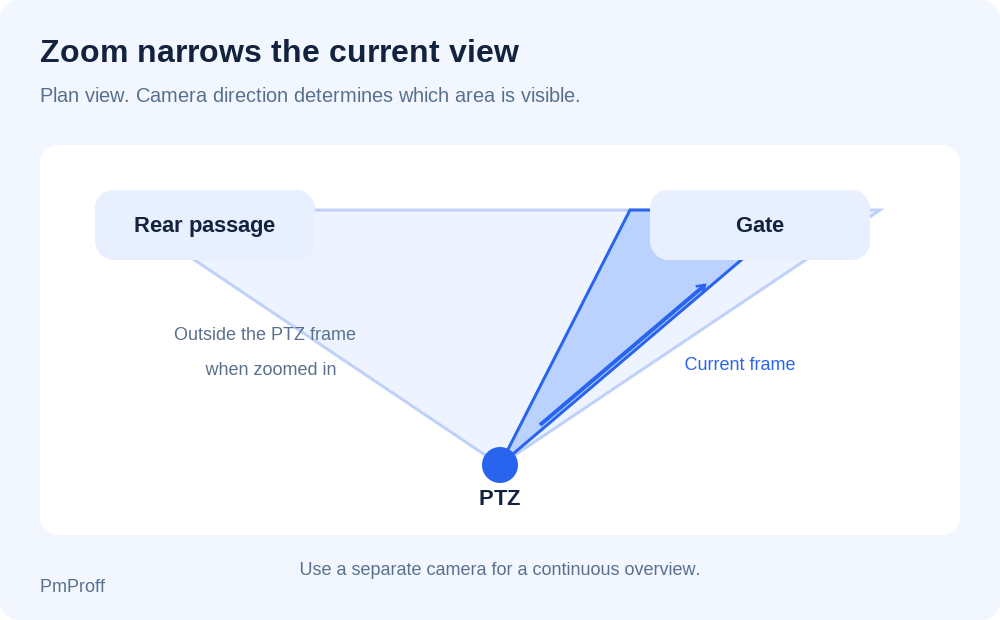
A PTZ camera can pan, tilt and zoom optically. This helps you inspect a subject, but at any given moment the camera sees only the selected view. Strong magnification does not keep the entire yard in view at once.
What the three letters mean
Pan is horizontal rotation, tilt is vertical movement and zoom changes magnification. Check the pan and tilt limits separately. A PTZ designation does not guarantee continuous rotation or a view directly below the housing. A preset is a stored position, and a patrol visits a sequence of presets. An area may be outside the frame as the camera moves between them.
Optical and digital zoom
Optical zoom changes the field of view using the lens. Digital zoom enlarges part of an existing frame. Lighting, stability, focus and distance all affect the detail you can see. Compare actual viewing angles and the detail required as well as the zoom ratio. For field-of-view basics, see the camera lens guide.
| Function | Practical question |
|---|---|
| Pan / tilt | Where can the camera point? |
| Optical zoom | Which area can be shown in detail? |
| Preset | Which position does the camera return to? |
| Autotracking | Which target can it follow, and under what conditions? |
How autotracking works
The system detects a target and controls the camera position. Tracking depends on subject visibility, obstructions and the particular analytics implementation. The AXIS Perimeter Defender PTZ Autotracking manual describes a setup in which a fixed camera detects the target and a PTZ camera zooms in. This requires compatible cameras and integration.
Why one PTZ camera cannot replace several fixed views
Consider a car park with a gate and a rear passage. While the PTZ tracks a vehicle at the gate, the other passage can be outside the frame. A separate fixed camera is useful for a continuous overview. Axis describes overview and close-up tracking as separate camera roles.
Checks before accepting the system
Test representative routes and events: a person walking behind a vehicle, two targets moving at once and a target reappearing after an obstruction. Check night-time focus and return to the home preset. Establish priority between manual control and autotracking. Review the recording: smooth movement in a live window does not guarantee useful footage of the entire incident.
Checks before choosing
- Check every critical direction.
- Test two simultaneous events.
- Review the recording and the return to the preset.
Frequently asked questions
Does a patrol monitor every area continuously?
No. The camera visits positions in sequence.
Does digital zoom add detail?
It enlarges the available pixels. The optics must capture the required detail first.
Will autotracking work with any NVR?
Check where the analytics runs, how it integrates and whether the specific models are supported.
In brief
PTZ is useful for close inspection and directed viewing. Plan continuous coverage of multiple zones separately.