
Specifications and technology / Network equipment
SFP is a pluggable module form factor. An uplink is a connection to another part of the network and can use copper or fibre. For a fibre link, check both modules, both ports and the cable between them.
Start with port compatibility
SFP and SFP+ look similar, but their speeds and supported modules can differ. Check the switch compatibility list, firmware version and permitted port modes. Cisco provides module specifications and links to compatibility matrices. Verify lower-speed support for the particular slot.
Fibre type and wavelength
Modules for single-mode and multimode fibre are designed for specific optical conditions. Match the fibre type, wavelength, connectors, distance and permitted optical power levels. A “10 km” marking alone does not establish compatibility with the rest of the link.
| Component | What to match |
|---|---|
| Port | Speed and module support |
| Modules | Standard, wavelengths and optical limits |
| Cable | Fibre type, connectors and loss |
| Link | TX → RX or the correct BiDi pair |
Dual fibre or BiDi
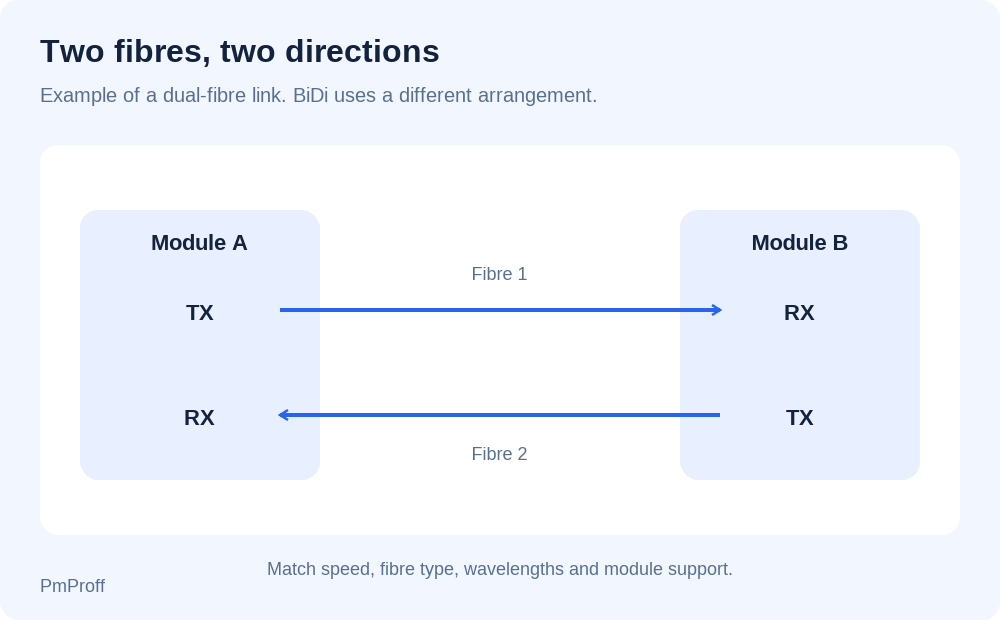
On a conventional dual-fibre link, the transmitter at one end must connect to the receiver at the other. Single-fibre BiDi needs complementary transmit and receive wavelengths. Two identical members of a pair may not work together. Find the exact matching module designations in the manufacturer’s documentation.
Troubleshooting a link that is down
Check in sequence: the port supports the module, the two modules form a compatible pair, the cable is the correct type and TX and RX are correctly aligned. Cisco’s fibre troubleshooting guidance pays particular attention to fibre type and polarity. If optical power diagnostics are available, compare the readings with the limits for that specific module.
Example: ordering a link between two buildings
Start with the installed cable route: fibre type and count, length and connectors. Then select modules supported by both switches. Record their exact part numbers as a pair. Use appropriate tools to inspect and clean optical connectors. Never look into an active optical port.
Checks before choosing
- Check the compatibility matrices for both devices.
- Order a matched pair of modules.
- Verify the cable type and optical levels.
Frequently asked questions
Does SFP always mean fibre?
No. Copper modules are also available where supported by the port.
Will an SFP+ slot always accept a 1G SFP?
It depends on the particular device and firmware.
Is a longer reach always better?
No. The optical specifications must match and received power must stay within the permitted range.
In brief
A fibre link requires compatible ports, modules and cabling. Matching module shapes alone cannot guarantee operation.