
Specifications and technology / Video surveillance
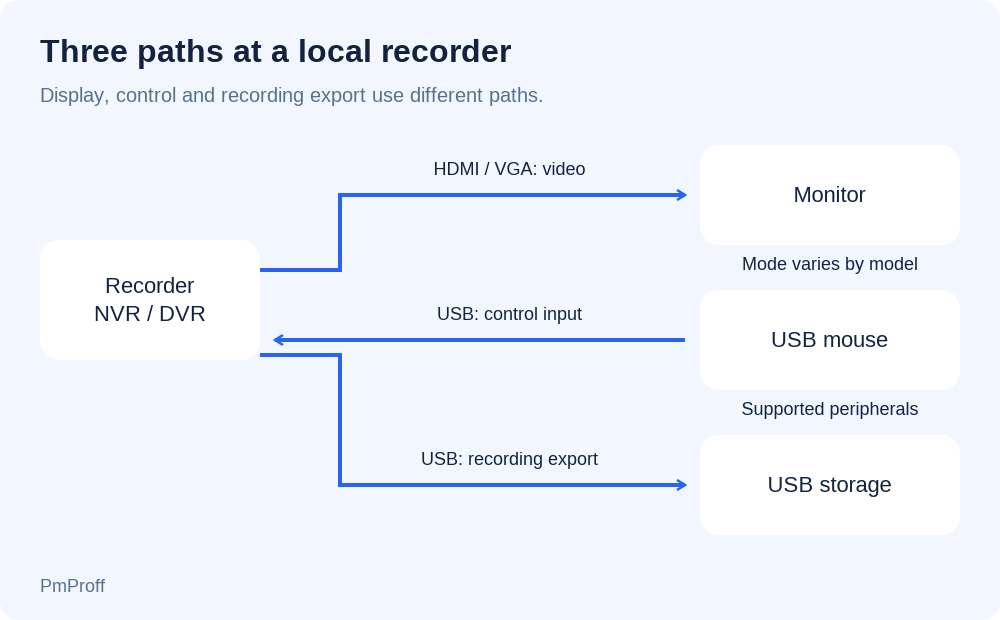
The ports on the back of a recorder serve different purposes. HDMI and VGA usually connect to a local monitor. USB supports compatible peripherals and recording export. A connector alone cannot confirm support for a particular mode.
Video output and recording quality
HDMI resolution describes the image the recorder sends to a monitor. The camera stream and the recording have their own resolutions. A recorder can store a higher-resolution stream than the monitor displays if it supports recording that stream. Check decoding capacity and how many channels can be displayed simultaneously. The Hikvision DS-7716NXI-I4/16P/S data sheet lists recording, decoding and local outputs separately. For more on these limits, see the guide to NVR channels and decoding.
Can two connectors drive two independent displays?
HDMI and VGA may mirror one image or operate independently if the model supports it. Check the available output combinations as well as the port count. Hikvision’s output comparison table shows how capabilities vary across product series. Define the monitoring station’s actual needs, such as a grid of all cameras on one screen and a single camera on another. “Simultaneous” does not necessarily mean the views can be selected independently.
| Port or specification | What it does not guarantee |
|---|---|
| HDMI/VGA | Independent images on two screens |
| 4K output | Unrestricted 4K recording from every camera |
| HDMI version | Support for every feature of that generation |
| USB 2.0/3.0 | Support for any peripheral or a particular export speed |
HDMI version, cable and monitor compatibility
Check the exact resolution and frame rate supported by the recorder output, monitor input and cable. An HDMI version number alone cannot establish all the device’s capabilities. The official HDMI cable guide explains cable categories and certification labels. Look beyond a “4K” claim when choosing a cable. HDMI can carry audio if both ends support it. VGA carries video, so check the audio path separately. A laptop’s HDMI port is usually an output. To display a recorder feed, you need an input.
USB mouse control and backup
The Dahua network recorder manual covers control and backup using supported USB devices. Check compatible peripherals, drive file systems and any model-specific limits. A USB 3.0 label does not guarantee the same export speed as on a PC: speed depends on the recorder, drive and operation. A USB drive used for export may be unsuitable as the primary recording disk. A USB port also does not guarantee support for USB cameras, network adapters or powering other equipment.
Testing before installation
Connect the monitor, select a supported mode and check the camera grid. If you need two displays, test both at once. Record a short clip, export it to a separate drive and open it on another computer. Check date, time, audio and player requirements. Use an empty test drive or back up its contents first. Decline any prompt to format a drive containing important files. This test tells you more about the setup than comparing port counts.
Checks before choosing
- Match output resolution and refresh rate to the monitor.
- Check whether HDMI and VGA can display independent views or only mirror each other.
- Check the USB functions and supported drives.
- Export a test clip and open it on another device.
Frequently asked questions
Is HDMI a camera input?
On a typical NVR, HDMI is a monitor output. Check the manual for camera inputs, which may include network or analogue interfaces.
Can VGA and HDMI show different cameras at the same time?
Only if the model supports independent operation for that combination of outputs.
Can I record continuously to a USB flash drive?
A USB port alone does not establish this. The manufacturer must explicitly support continuous recording to that medium. Export and primary recording are different functions.
In brief
Check what each recorder port actually supports: the monitor view, dual-screen behaviour and whether exported footage plays back elsewhere.